Here’s how you can prevent in-app purchases on an iPhone.
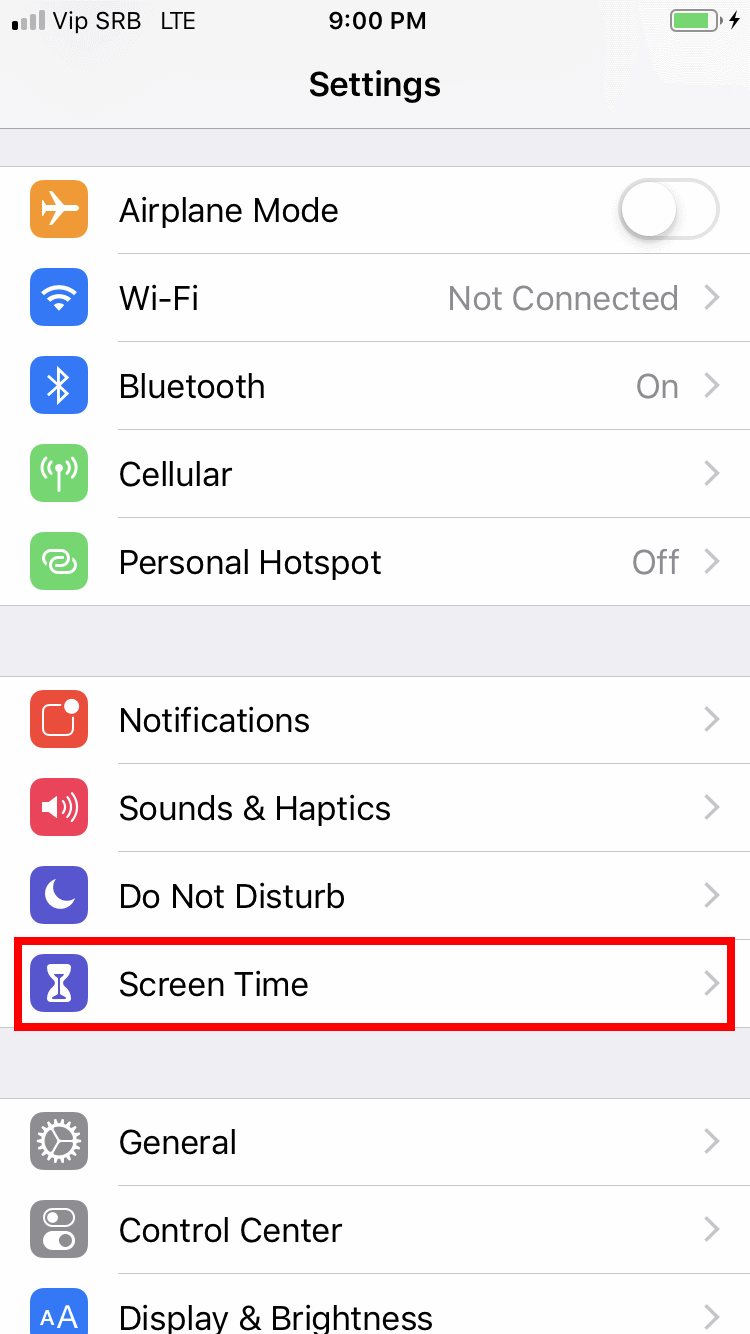
Go to Settings / Screen Time / Content & Privacy Restrictions.
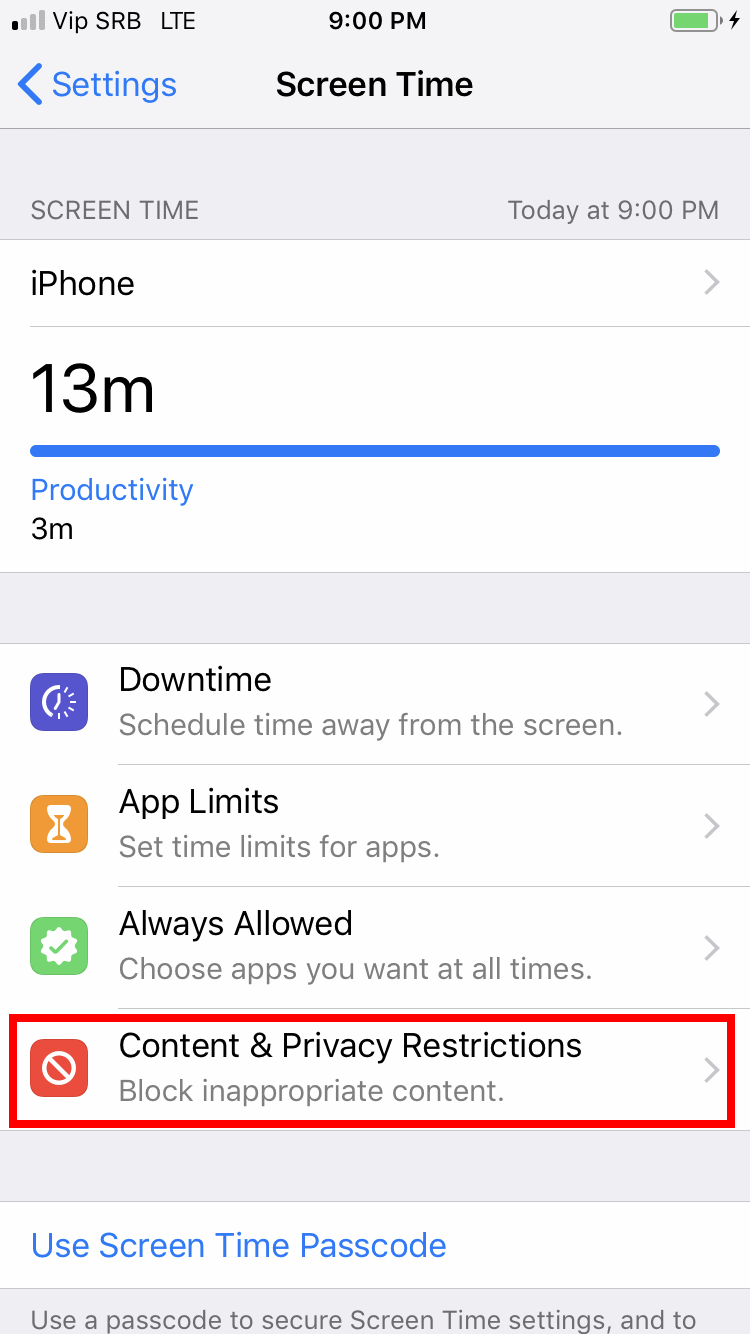
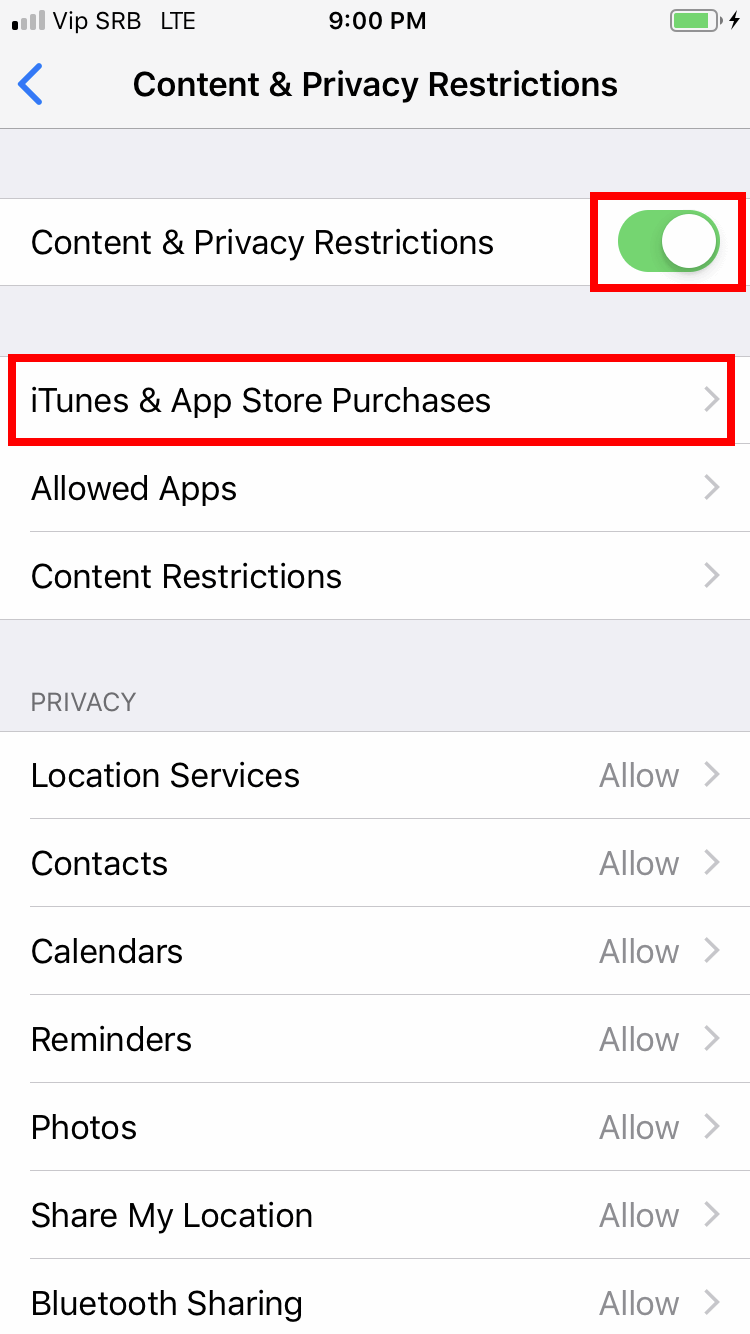
Tap the Content & Privacy Restrictions button to enable it.
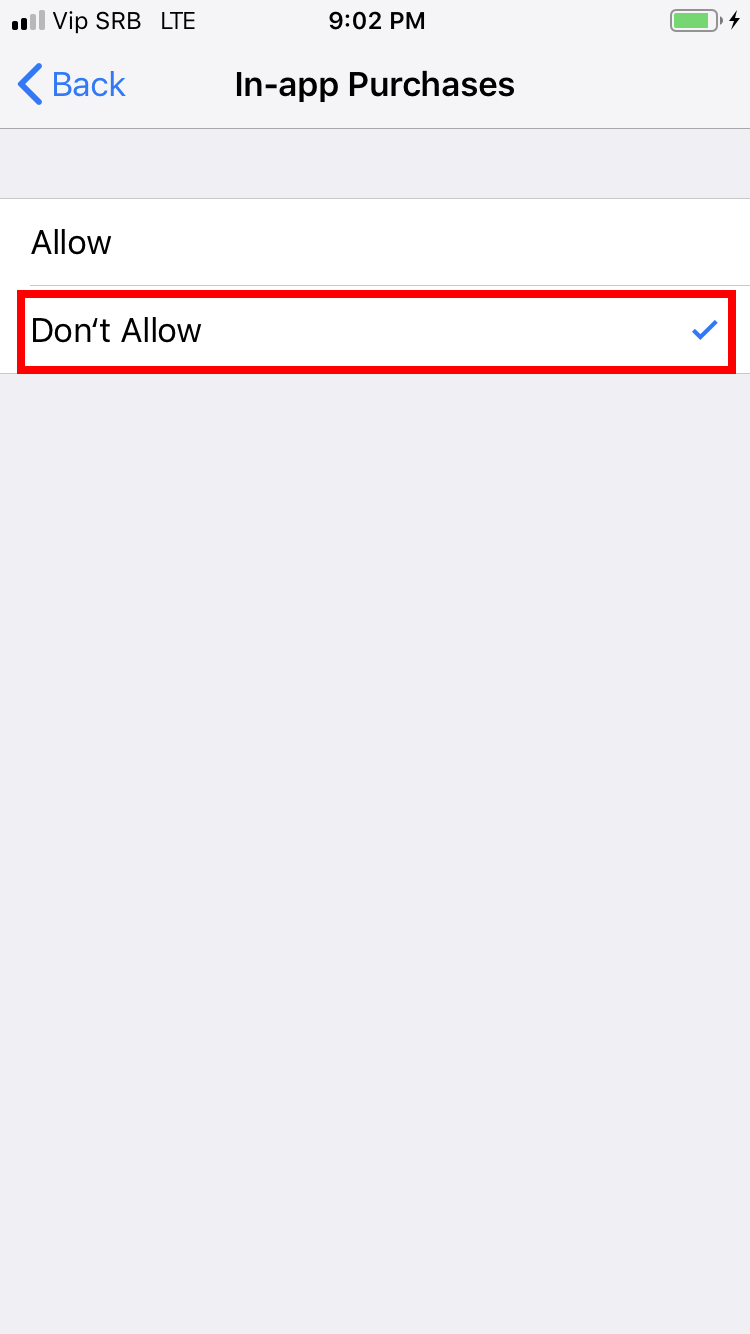
Then, on the same screen, continue to iTunes & App Store Purchases / In-App Purchases.
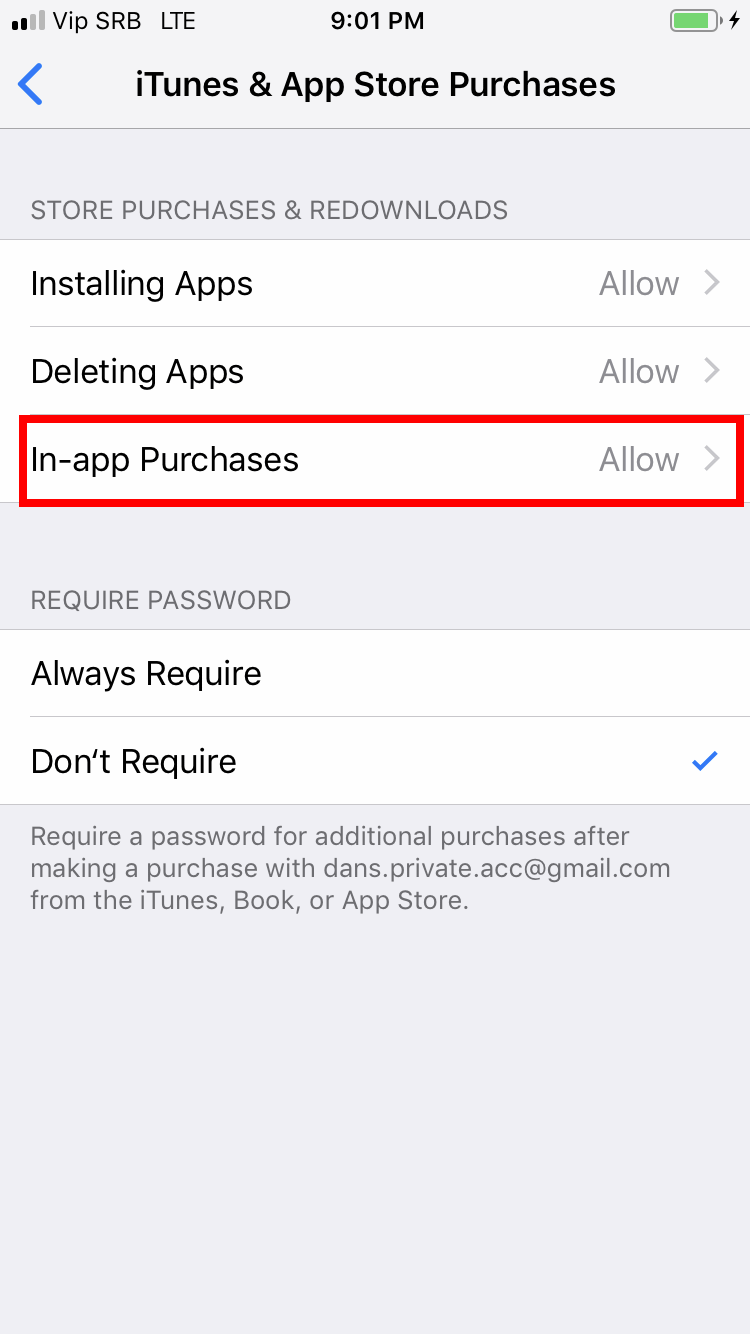
Select the Don’t allow option.
That’s it!
Note: This guide is done on an iPhone with iOS version 13 as of March 2020, but it should work the same or similarly with earlier or later versions, too.
Leave a Reply