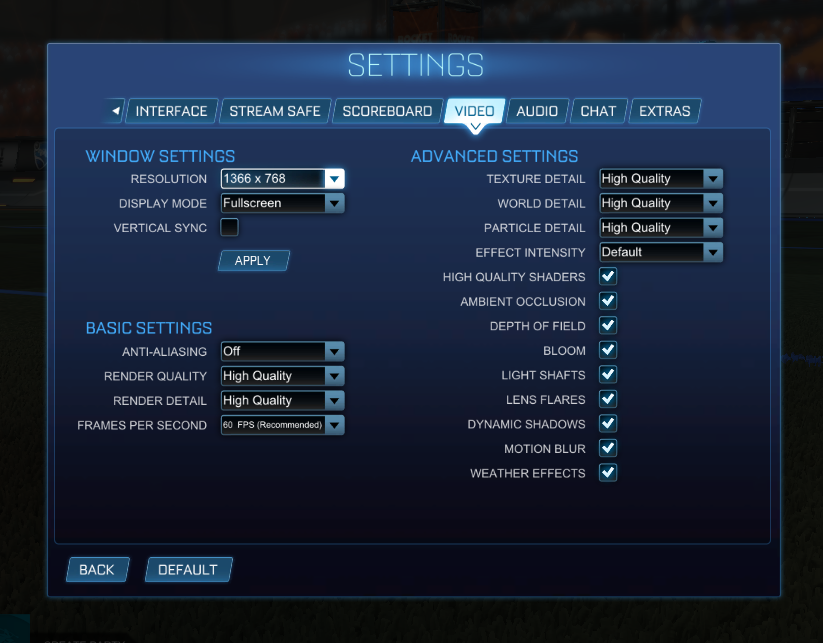
Here’s how i solved Rocket League problem of high resolution not showing in graphics settings of the game under Windows 11.
On my laptop with Full HD resolution, the highest resolution available in Rocket League settings was HD upon game installation.
The problem was in Windows 11 display scaling settings. The game refused to show and make selectable higher resolutions when Windows scaling was set to higher than 100%. In my case it was 150%. So choosing 100% scaling and a Rocket League restart enabled the higher resolution options.
To change scaling in Windows 11, go to Windows Settings > System > Display by typing Scale in Windows search box. In the Scale & layout section of the System > Display window, change percentage to 100%.
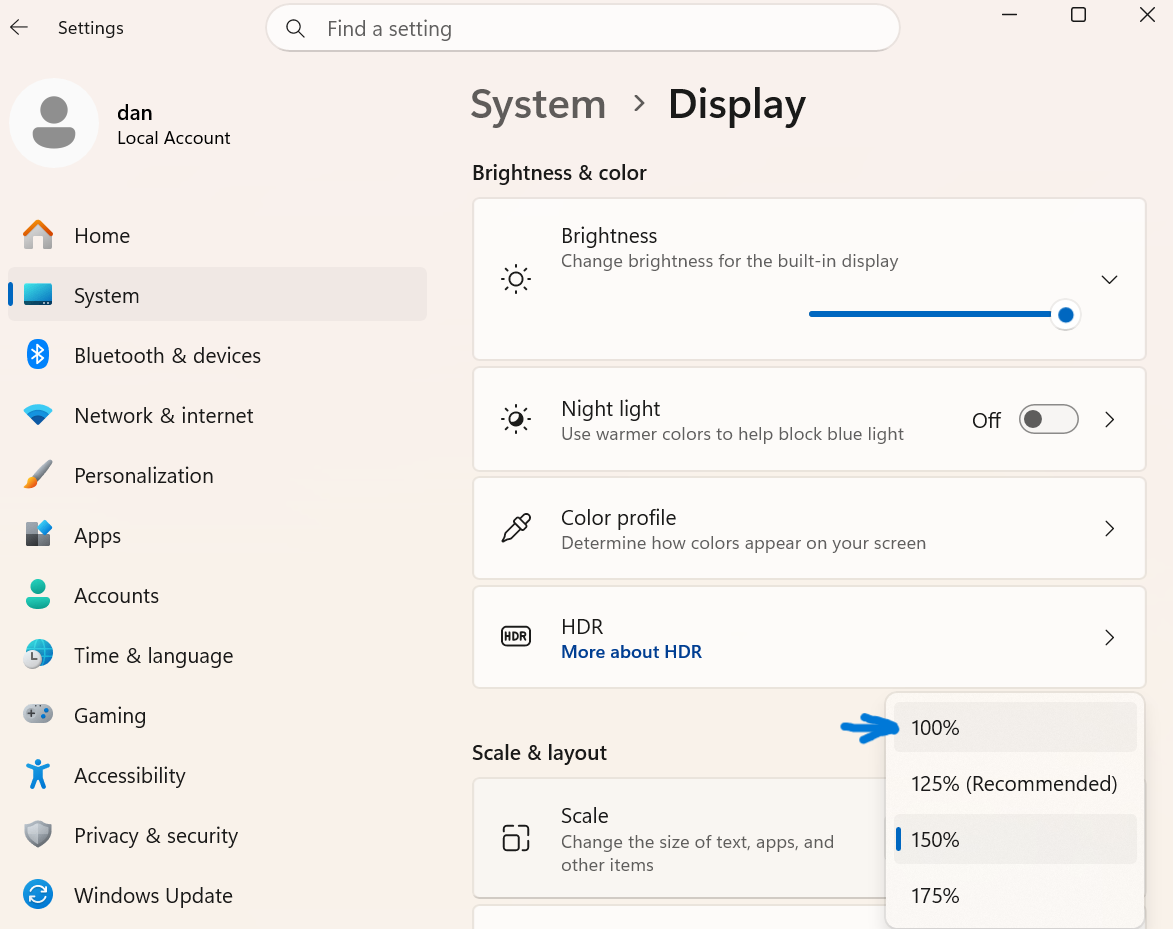
I have noticed that changing scaling back to 150% after the initial change to 100% didn’t remove the high resolution options in Rocket League. So it is possible to have your desired scaling and all RL resolution options available at the same time.
Leave a Reply